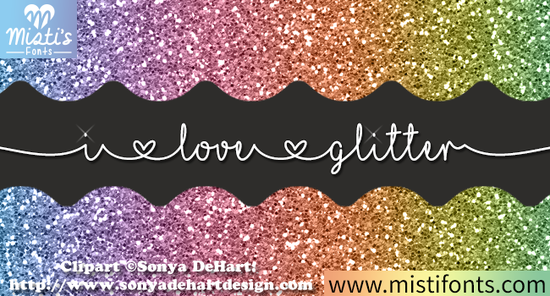
If you’ve ever wanted your handmade cards, t-shirts, or party invitations to catch the light and the eye the I Love Glitter Font might be exactly what your creative toolkit is missing. This playful script font brings a subtle shimmer effect right into your lettering, so you don’t need to add actual glitter (unless you want to!). Designed with crafters and small business owners in mind, it works beautifully in Cricut Design Space, Silhouette Studio, and other popular design platforms.
What makes this font stand out isn’t just its sparkle it’s how effortlessly it blends whimsy with readability. The curves are soft but clear, making it ideal for quotes, gift tags, baby shower decor, or even branding elements for boutique shops. And because it’s a digital font, you can scale it up or down without losing quality, which is especially handy if you’re creating everything from stickers to wall art.
What kinds of projects work best with I Love Glitter?
This font shines (literally and figuratively) in projects where personality matters more than formality. Think:
- Birthday and holiday greeting cards
- Custom tote bags or apparel for print-on-demand stores
- Scrapbook titles and journal headers
- Party banners and cupcake toppers
- Social media graphics with a handcrafted feel
It’s also featured in two Creative Fabrica classes Designing Printable Cards in Cricut Design Space and Design Shadow Boxes in Cricut Design Space so if you’re learning those techniques, you’ll see how seamlessly it integrates into layered designs.
How does it compare to other script fonts?
Not all script fonts are created equal. Some lean too formal; others are hard to read at smaller sizes. The I Love Glitter Font strikes a balance: it’s friendly without being messy, decorative without sacrificing legibility.
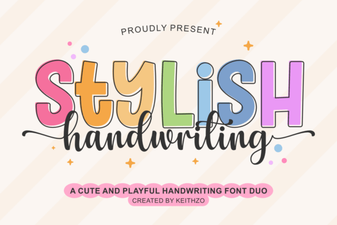
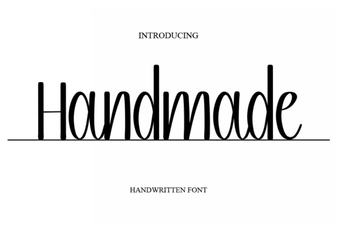
If you enjoy its style, you might also like exploring similar options that offer different moods but the same hand-lettered charm. For example, the Handmade Font gives a cozy, marker-drawn vibe, while the Stay Wonderful Font leans into elegant loops perfect for wedding stationery. The Stylish Handwriting Font offers clean, modern strokes, and if you prefer something bolder and more graphic, the Cherry Font delivers high-contrast flair. Each has its place but I Love Glitter remains unique for its built-in sparkle aesthetic.
Is it easy to install and use?
Yes. Once downloaded from Creative Fabrica, the font installs like any standard OTF or TTF file on both Mac and Windows. After installation, it appears in your font menu across design software no plugins needed. Just select it, type your text, and you’re ready to cut, print, or export.
One tip: because of its detailed edges, avoid using it at very small point sizes (under 18pt) if you’re printing or cutting fine details. For best results, pair it with simple sans-serif fonts for supporting text this keeps your main message readable while letting the glitter font take center stage.
Who should consider using this font?
It’s especially useful for:
- Crafters who make physical goods (think: vinyl decals, embroidered patches, or laser-cut wood signs)
- Print-on-demand sellers looking for distinctive typography that stands out in crowded marketplaces
- Small business owners designing their own packaging, labels, or promotional materials
- Hobbyists who enjoy personalizing gifts or home decor
Even if you’re not selling anything, this font adds joy to everyday creativity. There’s something satisfying about seeing your words gleam even on screen.
Remember: digital glitter never sheds on your keyboard.
Before you download, keep this in mind
The I Love Glitter Font comes with a commercial license through Creative Fabrica, so you can use it in products you sell just review the specific terms included with your purchase. Also, while it mimics glitter visually, it doesn’t require special materials to cut or print, making it beginner-friendly and cost-effective.
Ready to try it? If you’ve been searching for a script font that feels festive but still functional, this one’s worth adding to your library. Pair it with complementary fonts like Handmade Font for contrast, or use it solo for maximum impact.
Pro tip: Test your design in grayscale first. If the letterforms still look balanced and clear without color or shine, you know it’ll hold up in real-world applications.
- ✅ Install the font before starting your project
- ✅ Use sizes above 18pt for cutting or fine-detail printing
- ✅ Pair with neutral backgrounds to let the “glitter” pop
- ✅ Check licensing if using for client work or resale
- ✅ Explore the related Creative Fabrica classes for guided project ideas
 Handwriting Fonts for Creative Projects
 Craft Your Style with Unique Handmade Fonts
 The Daddy Font: Designing Bold & Accessible Projects
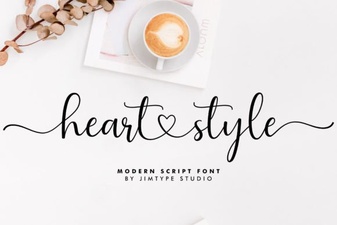 Heart Style Fonts for Creative Projects
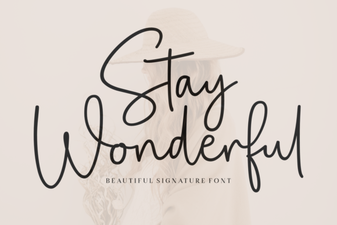 Stay Wonderful Font: Download & Design Tips
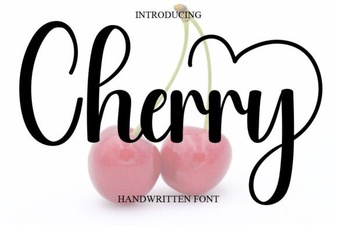 Cherry Font: a Sweet, Creative Typeface for Designers